
You have 1 article left to read this month before you need to register a free LeadDev.com account.
Estimated reading time: 9 minutes
Key takeaways:
- For large-scale app migrations, start with the deadline, break into milestones, and publish the roadmap early.
- Engage power users and an advisory board to catch blind spots and enforce decisions.
- Fake it till you make it: build new systems in parallel using migration patterns and validation tools for safe, steady progress.
When software engineers are not building new features or fixing bugs, they are probably losing sleep over large-scale app migrations.
Often dubbed “legacy modernization” or “brownfield development,” large-scale app migrations are not a one-off obligation to wade through. They are a permanent engineering continuum. Having survived many such migrations, my experiences have converged on a single playbook: “fake it till you make it.”
Faking here is not about shortcuts or pretending confidence. It is a deliberate strategy to apply well-studied patterns in software architecture.
Your inbox, upgraded.
Receive weekly engineering insights to level up your leadership approach.
Why is app migration scope always underestimated?
With multiple teams and stakeholders, the dependency graph of today’s software systems is complex and ever-changing. As a result, these migrations are always brewing under the surface of the tech stack. They hide in the unglamorous tech debt bucket, de-prioritized in favor of product features until business risks make it unavoidable.
As soon as a security vulnerability, compliance requirement, vendor discontinuation, performance bottleneck, or upstream dependency breaking change hits, it becomes a top priority project with a non-negotiable deadline.
However, large software systems embed deep institutional roots across the technology and operations in any organization, making them unpredictably difficult to replace. For critical systems like CI/CD platforms, artifact management systems, and job orchestration platforms, the blast radius is unavoidably large.
Moving underlying data to the new systems, adopting new security practices, changing the deployment workflows, updating internal processes and documentation, user training, and even changing the organizational structure to align with the new system – nothing is off the table.
Despite the obvious-sounding outcome of “moving to a new system,” large-scale app migrations require a different playbook compared to building new features for a product.
Working backwards from a non-negotiable deadline
Non-negotiable deadlines may feel unfair to the team tasked with the migration. In reality, they are a forcing function against Parkinson’s Law. Start with the go-live date, when we pull the plug on the old system, and work backwards to the present day. Identify key decision points, and forecast a roadmap with intermediate deadlines. Breaking the problem into potentially shippable chunks forces clarity on the scope and the dependencies..
Adding ample buffer time at this stage is not schedule padding – it is an honest attempt to account for blind spots and roadblocks. These are inevitable in any large-scale project. Deadlines will slip, and engineering and business expectations will collide. Our response matters more than the roadblock itself. Don’t sit on bad news. Present the problem with options and trade-offs. That turns a tense conversation into a collaborative one.
Publishing the roadmap before it feels ready
The most unnerving part of building the roadmap is making it public, as the fear of missing milestones feels like losing credibility.
This is the first “fake it” moment. The roadmap does not need to be perfect, but it needs to be widely visible. As we keep moving along the migration path, our course correction should be reflected on the public roadmap with changes to deliverables or intermediate deadlines.
This commitment to the public roadmap shapes the teams’ posture. It focuses on the impact of the migration on the users and the system as a whole, raising awareness across dependent teams. Upstream teams are forced to take notice of the time-sensitive dependencies. The downstream teams, as recipients of the migration changes, also get the warning to prepare.
The roadmap is the tool to start the crucial conversations that might otherwise get delayed until it’s too late. Hard questions are unavoidable. What happens to writes mid-flight during cutover? What triggers a rollback? How do you handle pushbacks from teams with competing priorities?Asking them early, with deadlines attached, makes priorities clear and pushes scope creep to the post-migration backlog.
More like this
Power users as your migration radar
One of the most critical decisions when migrating live systems is when and how to switch over the usage. It is when the users actually use the system that the real feedback starts to flow in. We try to get ahead of them by forming a selected group of power users of the old systems as early adopters during the migration process.
This is the second “fake it” moment. These power users will uncover the blind spots that all the automated tests will miss. Schedule recurring office hours where the power users have a safe space to provide brutal feedback and ask tough questions. Every gap uncovered becomes a ticket of high priority.
The cross-functional signoff board
The power users and roadmap conversations help identify a group of subject matter experts who can serve as an advisory board to sign off on key milestones.
Sign offs are a commitment from engineering, product, and business that they have accepted any changed behavior in the new system as the norm going forward. There will be no going back to the old ways. Again, schedule the recurring meetings aligned with the deadlines at the outset.
Maintaining a chronological audit trail of these sign offs prevents the confusions and re-litigations that the migration is about to unravel. In every migration I have been a part of, I have seen the natural bias towards the old system and processes start to kick in as the system’s behaviors change.
It could be UI teams pushing back when a data divergence in the new reference data system causes poor user experience, a missing plugin that is used by a single user, or moving to a new monitoring system, to name a few.
I have often seen these setbacks quickly turn political and break trust midway through migrations. With geographically distributed teams with different priorities, communicating over email, chat, and tickets, disruptions in workflows will inevitably cause friction.
Board members hold enough authority to make the unpopular choices in favor of the migration. This is a lesson I learned early in my career while rebuilding a trade confirmation system. Data integrity issues in the underlying platform led to repeated schedule slippage and stalemate discussions with the backoffice ops team.
Without a board member with authority to override the ops team, every disagreement became a negotiation that nobody had time for. This pattern has resurfaced multiple times since, and the lesson has stuck.
We tend to obsess over the technology wins promised by the new system. The tough act of balancing the bias, political friction, or broken trust that can derail a large-scale app migration often gets overlooked.
Raising the risks early and sticking to the advisory board’s authority to make unpopular decisions is a reliable way to ultimately deliver those technology wins.
Implementation patterns for parallel systems
Unlike new product development, large migrations rarely need a throwaway Minimum Viable Product (MVP) for feature discovery. This allows us to start with the new system that will eventually replace the legacy system. This is our third “fake it” moment.
From day one, we treat the new system with the same standards of a bonafide production system, ensuring it has pre-production environment(s), CI/CD system, defining Service Level Agreements (SLAs) and Service Level Objectives (SLOs), logging, monitoring, and telemetry.
Studies of large-scale migrations have created a rich canon of patterns. While a single pattern is rarely sufficient, a combination can help engineering leaders tackle the specific needs of their systems.
The following table summarizes a few popular patterns to choose from.
| Pattern | Summary | Use case | Example |
| Tracer Bullet | End-to-end thin slice through the system with real inputs and monitoring. | Time boxed exploratory analysis of the full flow to discover integration points. | Replacing a trading system with hundreds of data fields starts with a single field from each system and stubbing the rest. |
| Strangler Fig | Incrementally replace legacy functionality with new services. | Gradual migration with reducing disruption to users. | Upgrading an artifact management system by providing support for most used artifact types before support for all types. |
| Branch by Abstraction | Multiple implementations coexist behind a common interface. | Gradual changes for multiple clients while using both the systems. | To reduce cost, use S3 block storage instead of Amazon Elastic File System by introducing an IO read/write abstraction layer in an image processing pipeline. |
| Shadow traffic | Duplicate production traffic to a new system without affecting the live system. | Test new systems under real-world conditions without impacting users. | On-prem to cloud migration of market data query system where requests are duplicated and responses are compared for differences. |
| Canary release | Gradual roll out changes to a subset of users before full deployment. | Reduce the blast radius. | Deploying a new job orchestration system to selected users that allow read only operations on live data. |
| Feature toggle | Enable or disable features at runtime without deploying new code. | Control the exposure of new features and easily rollback. | Consumers of data feed published by a trading exchange validate accuracy of new data fields by toggling a config parameter and dynamic reloading. |
| Blue-Green deployment | Maintain two identical production environments and switch traffic between them. | Minimize downtime and risk during deployment. | Deploy a new version of an application to the blue environment while the green environment serves live traffic, then switch after validation. |
| Circuit Breaker | Prevent cascading failures by stopping the flow of requests to a failing service. | Increase system resilience during migration. | A new Retrieval-Augmented Generation (RAG) service to documentation search fails due to backend API limits, and falls back to legacy full text search. |
At this point, “faking it while making it” is in full swing. Fake it at the component level by relying on the old system’s API; make it by implementing the new system’s API. Inside a component, fake it by stubbing the data points until real data is available in the new system.
This way, by building the new components, adding the new fields, and transforming the data into the required format, we keep the system moving towards feature parity as the deadline approaches.
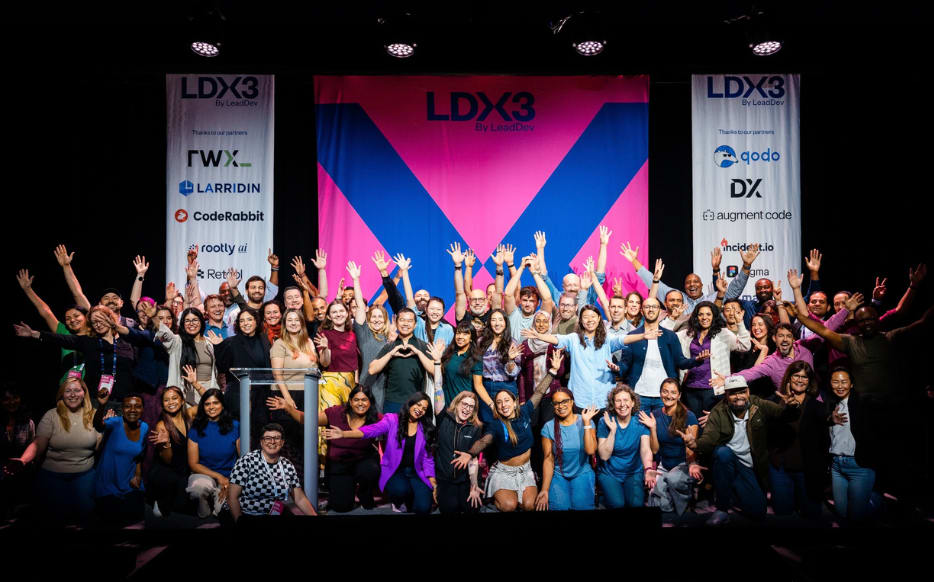
New York • September 8 & 9, 2027
Loved LDX3 New York? Pre-sale tickets for 2027 are now available.
Custom tooling for continuous validation
Teams quickly realize the need for custom tooling to analyze and track the progress of migration. In addition to the technical challenge of spinning up the new system, we need to invest time upfront in a class of tools that will serve as the guardrails for continuous validation and convergence towards the new system.
Here are some of the common patterns of tooling I have seen being rebuilt over multiple migration projects.
| Tool type | Use case | Example |
| Difference report | Compare legacy and new system outputs to find divergences, debugging, and validation. | A new artifact management system requires moving the existing artifacts, user access controls, and CI configuration across code repos. |
| Data migration | Move and transform data to the target schema and storage. | Backfill script that converts legacy invoices to the new schema. A newer version of a job orchestration platform cannot import the old system’s job definitions due to schema discrepancies. |
| Traffic replay | Duplicate production requests to validate behavior safely. | Replay 1% of production search queries against the new service. |
| User access control | Sync identities, roles, and permissions across systems. | A nightly job that syncs user profiles in a new internal developer platform. |
| Monitoring and telemetry | Track health, errors, and parity during cutover. | A dashboard comparing latency and error rates across both legacy and new systems. |
Tools that are easy to run without help, and whose results need no interpretation, empower those disrupted by the migration. Like continuous testing in CI systems, frequent execution of these tools ensures continuous oversight, making the migration process transparent.
Eventually, the tooling becomes a driver in gathering metrics on the success criteria of the migration, allowing the advisory board to steer the course.
Leading large-scale app migrations in 2026
In 2026, there is an avalanche of modernizing demands coming to every software stack. Large-scale app migrations demand displacing the existing ecosystem around established software while continuously rebuilding for the future.
As engineering leaders, we need to revisit how we manage the technical, organizational, and cultural complexities of large-scale migrations. Publish the roadmap before you feel ready, and course correct your way to the deadline. That is the fake it till you make it way.