You have 1 article left to read this month before you need to register a free LeadDev.com account.
Estimated reading time: 8 minutes
The automation paradox has created a world where the better our tools get, the more helpless we feel when they stop working.
Everyone has lived through the automation paradox, even if they’ve never named it. It’s what happens when the machine that’s supposed to make life easier suddenly stops working, and we realize how much we’ve forgotten about how to do things ourselves. From household appliances to the tools we use in software development, the pattern repeats.
It’s a question I often return to, both as an engineering leader and as the founder of a startup building with AI; where are AI tools augmenting work and where might they be undermining the craft, relationships, and decision-making that make engineering effective?
The automation paradox and its consequences
One of the clearest examples of the automation paradox is navigation. Relying on GPS has become second nature, but when the signal drops (especially outside the city), most of us are lost, both literally and mentally. Some of us would struggle to read a paper map, to orient ourselves without that calm digital voice telling us when to turn.
As routine work disappears, what remains is harder, more ambiguous, and often more stressful. Work becomes less boring, but also more cognitively demanding.
And beneath that demand, several subtle consequences take hold.
Your inbox, upgraded.
Receive weekly engineering insights to level up your leadership approach.
Automation bias
Once machines prove dependable, we start trusting them too much. Psychologists call this automation bias: the tendency to rely on machine output even when it’s wrong. It shows up as errors of commission, when we follow a bad recommendation, and errors of omission, when we fail to act because we assume “the system has it covered.” Research in aviation, healthcare, and finance shows how this bias dulls vigilance. When automation handles the monitoring, humans stop questioning the results.
Deskilling and the “out-of-the-loop” effect
Even when automation works perfectly, the tasks we no longer perform become the skills we no longer practice. Over time, we lose the intuition that once came from repetition: the feel for how things work, what failure looks like, when something seems off. In highly automated environments, operators can drift “out of the loop,” detached from the system they oversee until something breaks.
Anchoring bias
Going to an AI tool in search of guidance has become a natural step for many. The problem is that once we’re shown an answer, it’s hard to imagine alternatives, so we become less creative. This is the same phenomenon that Daniel Kahneman described in the book Thinking, Fast and Slow: in an experiment, Kahneman asked participants to estimate the percentage of African countries in the United Nations. Before giving their answer, they spun a wheel with a series of numbers on it. Although participants understood that the number the wheel landed on was completely arbitrary and unrelated to the question, their estimates shifted toward it: those who saw a low number gave lower estimates, and those who saw a high number gave higher ones.
We see the same pattern when automation hands us a draft of text, of code, of a plan. The first version limits our imagination. We edit instead of inventing.
An added layer to consider is the element of sunk cost fallacy: once we invest time and effort into something (whether that’s a prompt or a first draft), we feel attached to it and reluctant to start over.
Harder falls
When automation takes care of the easy problems, the ones left to humans are the unpredictable, high-stakes failures. In modern software systems, and especially in distributed architectures, these failures tend to be intermittent, context-dependent, and notoriously hard to reproduce. A single user request may traverse dozens of services, queues, caches, and data stores; a failure can hide anywhere along that path.
Paradoxically, the smoother and more automated the system becomes, the less familiar we are with the underlying mechanics and the harder it is to trace what went wrong. Developers spend less time debugging distributed failures because they occur infrequently, and when they do occur, the cognitive load required to re-immerse themselves in the system’s internal workings is enormous.
That’s why we’ve seen an explosion of tools (observability/application performance monitoring (APM) tools, error monitoring, introspection tools, session replay platforms) promising to help us “understand” our systems.
More like this
The mechanism by which skill forms
When automation takes over routine work, it doesn’t just change what we do; it also changes how we learn.
Humans learn through experience. “Learning by doing” isn’t a slogan; it describes how the brain encodes skill. Psychologists call it procedural learning: the process by which knowledge moves from something we can explain to something we can perform. It’s the difference between knowing the ingredients for bread and actually baking it.
When we acquire a new skill, we pass through three stages:
- Declarative learning, when we gather facts and rules, we can state out loud.
- Procedural learning, when we connect those facts to practice through repetition and feedback.
- Automaticity, when execution becomes smooth, fast, and intuitive.
One of the best ways to strengthen this progression is through retrieval practice: recalling knowledge from memory rather than re-reading it. When we try to remember something, we don’t just test what we know; we reinforce and reorganize it, making future recall easier and freeing up mental bandwidth for new learning. This process builds the scaffolding that supports expertise: the more we retrieve, the faster we can integrate new information.
Automation short-circuits this loop. When systems handle the doing, humans lose opportunities for retrieval, correction, and feedback. The very conditions that turn knowledge into skill. Supervising automation, instead of actively engaging with the task, keeps us in a “declarative” state: we “know about” a process but never internalize it.
The rise of workslop
Software development has always automated aggressively. Compilers, deployment pipelines, unit tests, observability dashboards. Each generation of tooling has abstracted away more of the underlying systems. But none of these shifts compares to the visibility and velocity of what’s happening now: the rise of AI coding tools.
AI adoption is being deployed at an unprecedented scale. Stack Overflow’s 2025 Developer Survey shows adoption climbing: 84% of developers now use or plan to use AI tools, up from 76% in 2024.
Although opinions remain split on the benefits, I’ve experienced firsthand how productive I can be with tools like Cursor and Copilot.
But the consequences are abundant. Developers can now generate code, refactor functions, or write documentation without fully engaging in the reasoning that connects them.
What makes this particularly treacherous is that AI tools are being rushed into mass adoption without much proof of efficacy. 66% of Stack Overflow respondents flagged the mounting technical debt created by AI-generated “almost right” solutions, where 45% said debugging AI-generated code takes more time than expected.
The term “workslop” has emerged to describe this phenomenon. Coined in a recent Stanford survey, it refers to “AI generated work content that masquerades as good work, but lacks the substance to meaningfully advance a given task.” This is more insidious than obviously broken code, which can be quickly identified and discarded. “Almost right” solutions demand careful analysis. Developers must scrutinize every AI output, a task already compromised by automation bias, anchoring bias, and progressive deskilling. And there’s another cost: reviewing code is vastly less enjoyable than writing it.
The burden extends beyond our own prompts. When colleagues use AI to generate designs, Jira tickets, PRs, or documentation, we inherit the work of decoding their output: inferring missed context, checking whether the original task was understood correctly, and proposing fixes. A cascade of effortful decision-making follows: rework, uncomfortable exchanges, clarification loops. Many developers report that it would be faster to write the code from scratch than to debug and correct AI-generated solutions.
Debugging as the irreplaceable core of engineering expertise
If we accept that AI tools will continue to generate more code, then the question isn’t whether to use them, it’s which skills we must deliberately preserve. In short, what is the acceptable trade-off between the speed of having a task automatically completed versus the consequences of not knowing how to manually fix it when it breaks?
Debugging sits at the center of that question. When AI generates code, we lose one opportunity for learning. If AI also handles the debugging, we lose both ends of the skill-building loop. We become supervisors of systems we no longer understand, and unpracticed at intervening when they need us most.
Debugging isn’t just fixing broken code. It’s the primary mechanism by which developers build mental models of complex systems. When you debug, you engage in the most intense form of retrieval practice: you must recall how the system works, form hypotheses about what went wrong, trace causality across layers of abstraction, and test your understanding against reality. Every debugging session strengthens the procedural knowledge that separates novices from experts.
Machines can’t yet replicate the intuition of a seasoned engineer who knows where to look for hidden bugs, or the creativity required to explore the edges of system behavior. That intuition comes from years of experience, from pattern recognition across different codebases, from understanding how users actually interact with software in messy, unpredictable ways.
New York • September 8 & 9, 2027
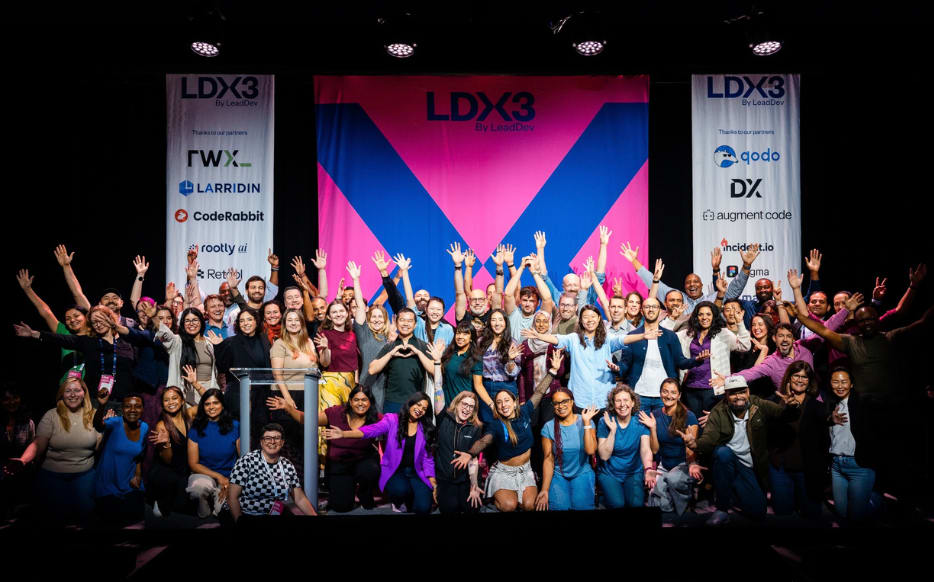
Loved LDX3 New York? Pre-sale tickets for 2027 are now available.
What this means for engineering leaders
Engineering leaders now face balancing deploying AI tools to maximize short-term velocity against strategically preserving long-term team capability.
To help aid with that choice, I recommend:
- Keeping in mind which tasks should remain human. Debugging, system design, and architectural decisions are the mechanisms by which expertise forms.
- Ensuring visibility into systems that’s deep enough to support both human judgment and AI assistance: have all the context, in real-time, on how systems work, behave, and respond in production.
- High-quality context for AI tools that makes their outputs meaningful rather than generic.
Here’s the irony: to use AI well, teams need better system understanding than before, not less. When developers can trace exactly how their system behaves (seeing the full context of user sessions, understanding state changes, following the path from user action to back-end response), they’re equipped to both debug effectively and provide the context that makes AI suggestions actually useful.
The goal isn’t to avoid AI, but to ensure it strengthens the work that matters most: understanding complex failures, designing resilient systems, and cultivating the expertise to do both well. We can’t trade deep understanding for quick fixes.
The best developer tools don’t make engineers obsolete when the automation fails; they work as collaborators helping with repetitive tasks and as an augmentation tool for the high-value, deeply human work that defines engineering mastery.